IN2039: Data Visualization for Decision Making
Department of Industrial Engineering
a multidisciplinary field that uses scientific methods, processes, algorithms and systems to extract knowledge and insights from vast amounts of structured and unstructured data.
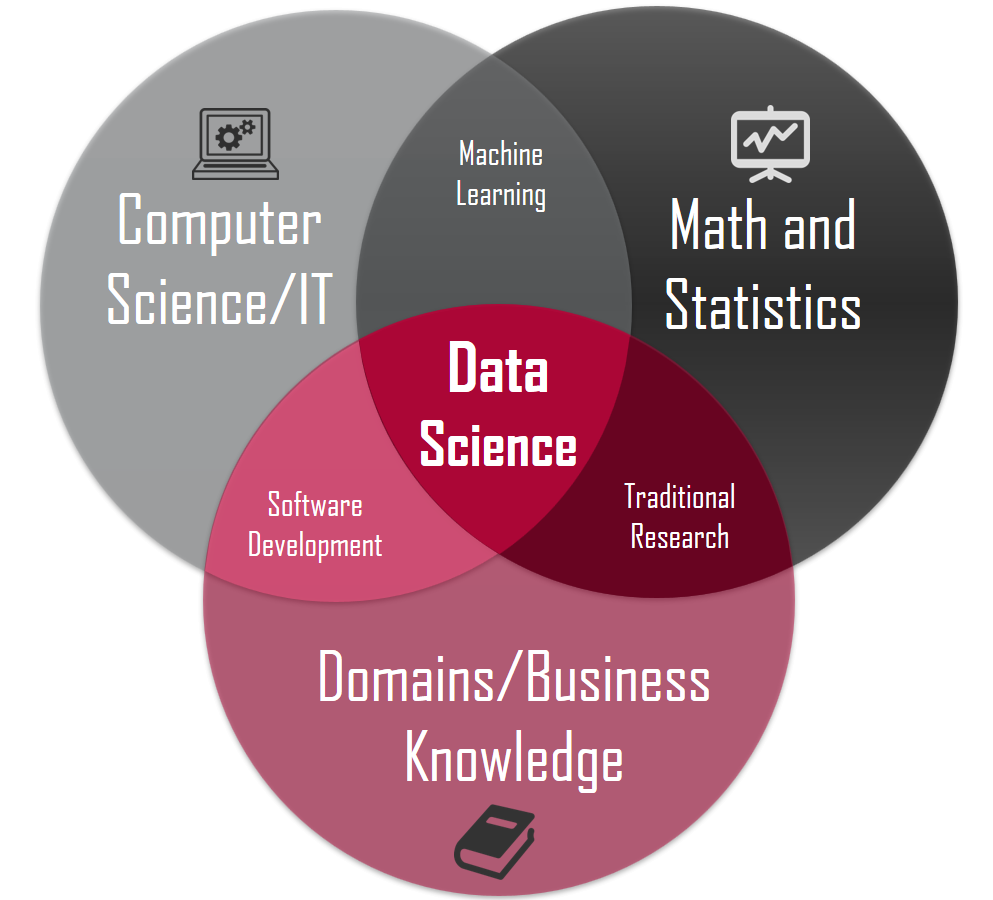
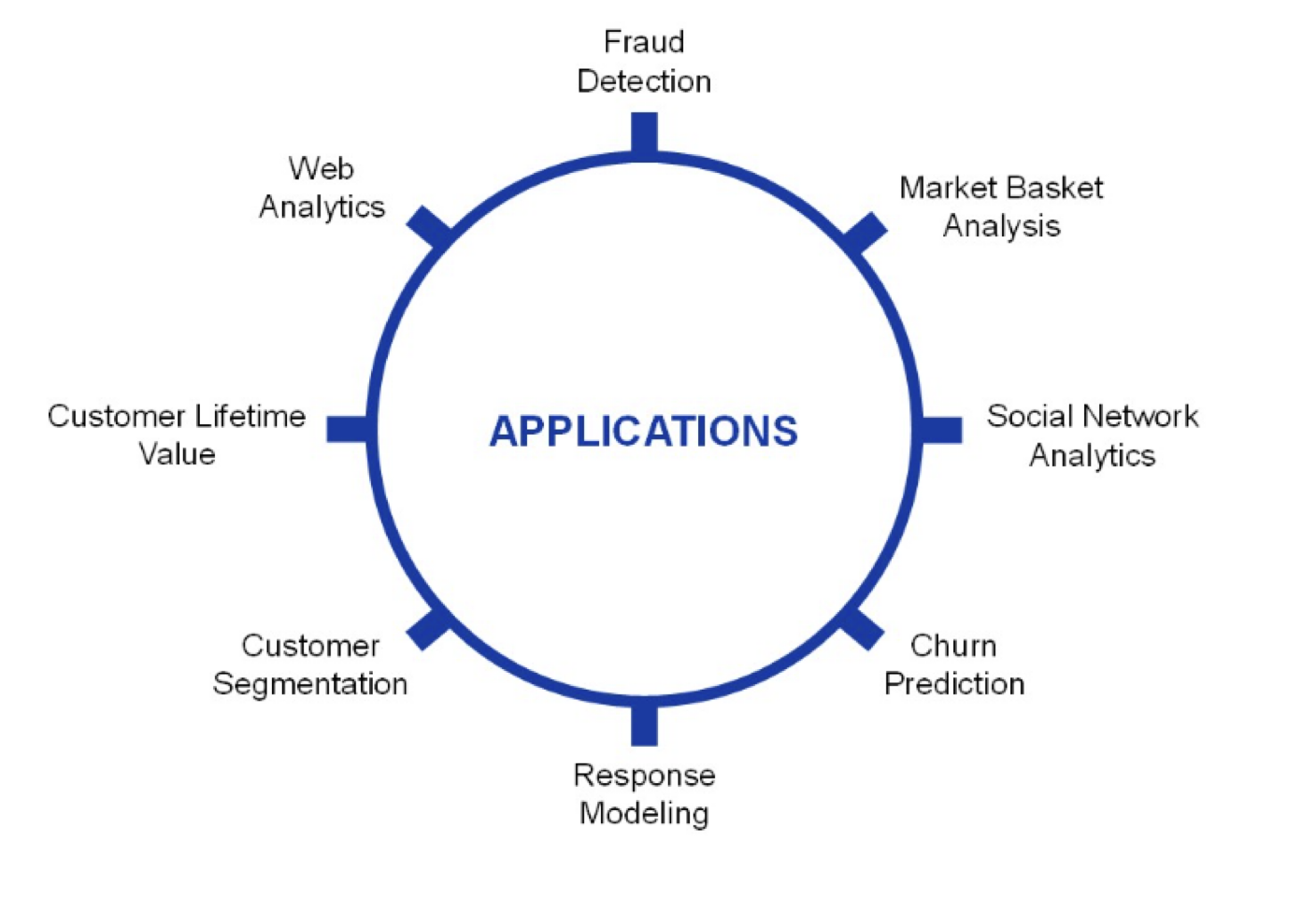
Provost, F., & Fawcett, T. (2013). Data Science for Business: What you need to know about data mining and data-analytic thinking. O’Reilly Media, Inc.
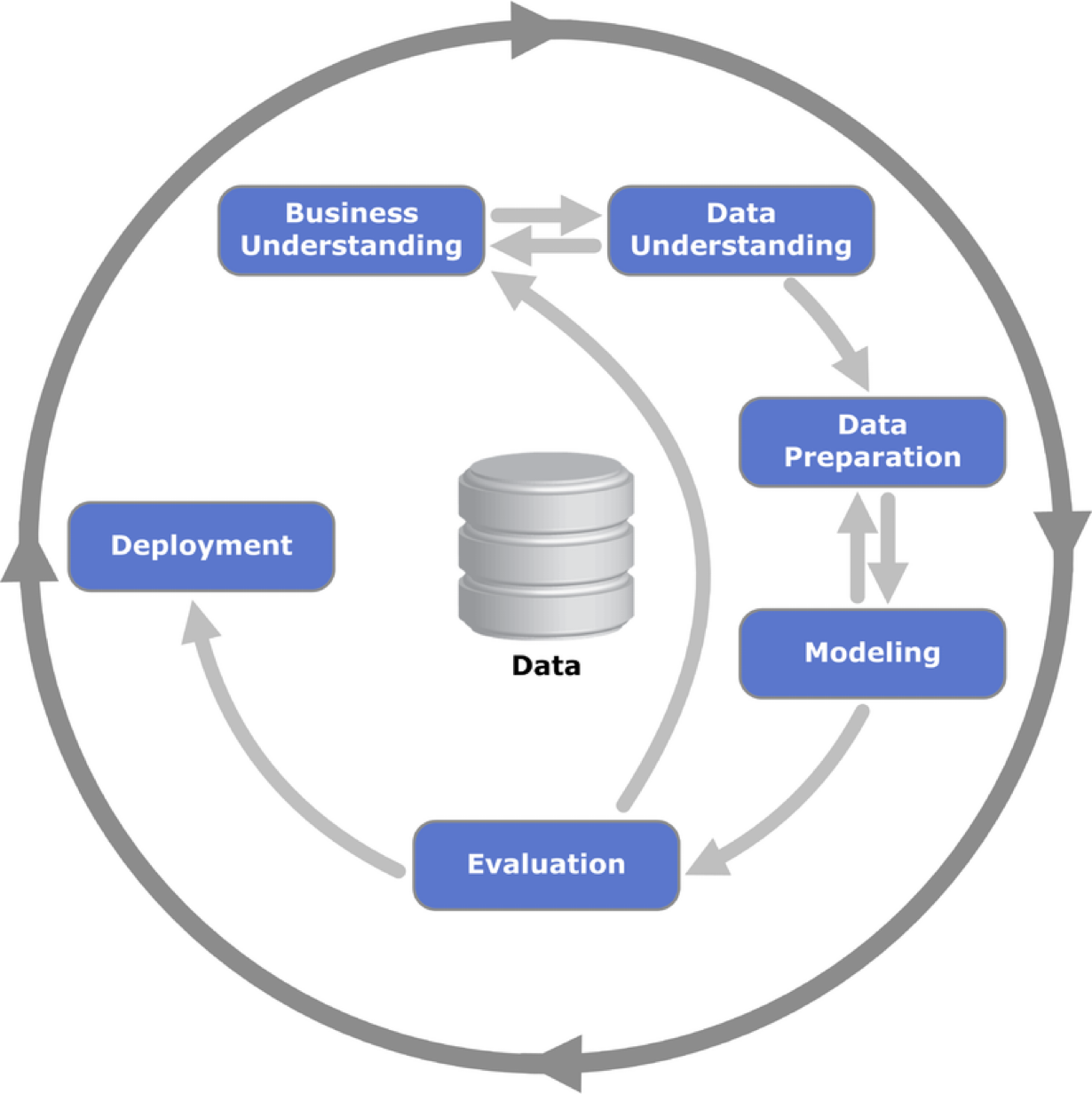
Business understanding refers to defining the business problem to be solved.
The goal is to reframe the business problem as a data science problem.
Often, reframing the problem and designing a solution is an iterative process.
If the goal is to solve a business problem, the data that makes up the raw material available from which the solution will be built.
The available data rarely matches the problem.
For example, historical data is often collected for purposes unrelated to the current business problem or for no explicit purpose at all.
Our goal is to turn data into information that answers useful questions.
Text

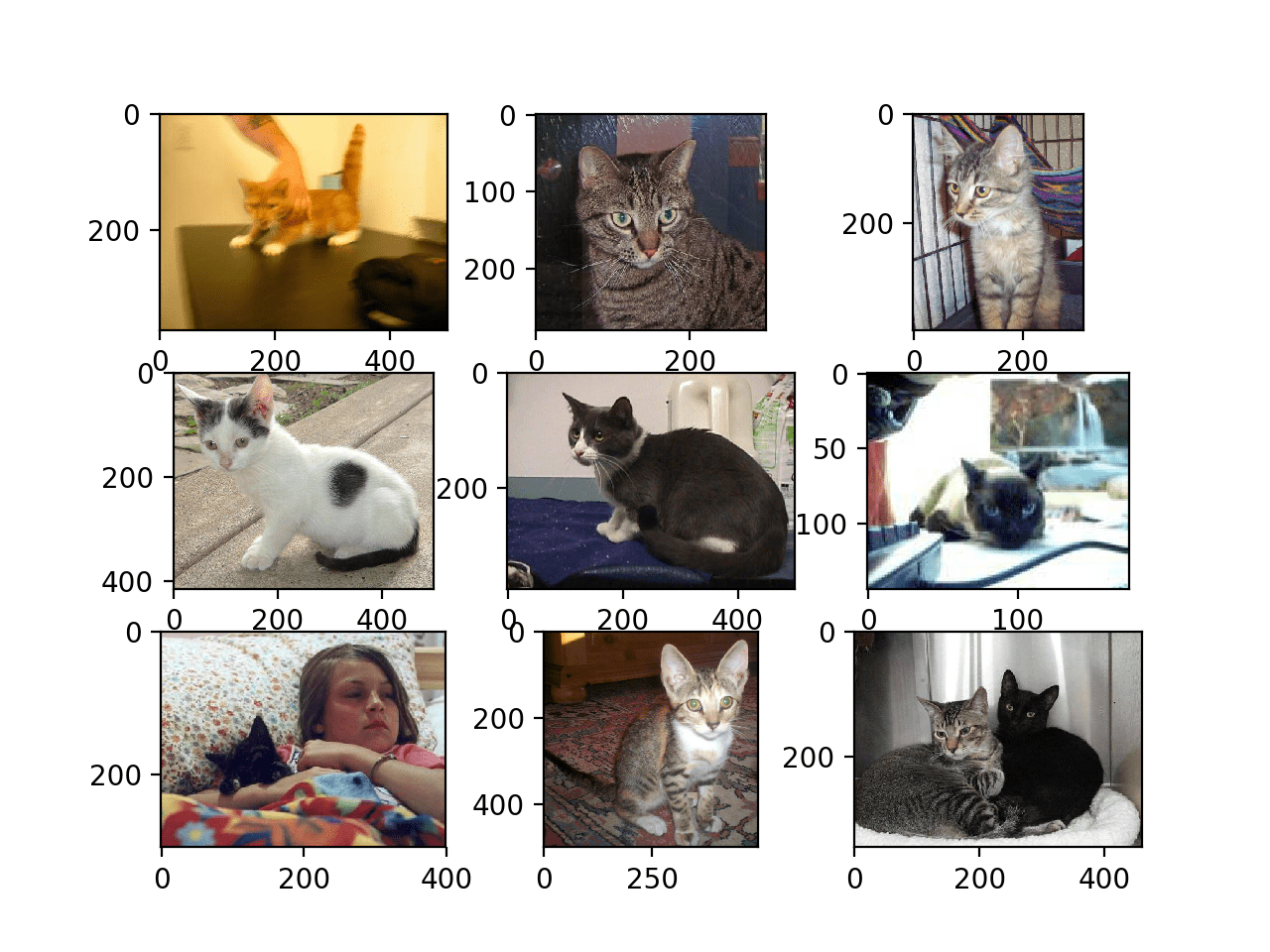
Images

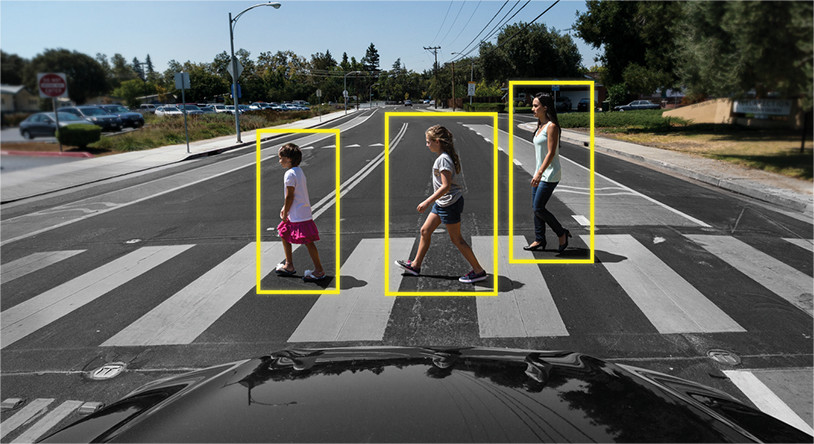
Video

Audio

Data science methodology is based on numerical data given in tables.
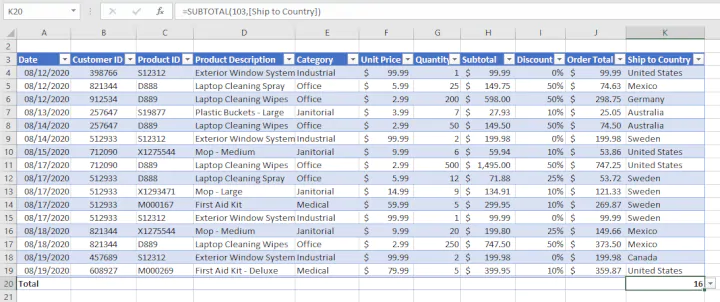
In fact, texts, images, videos or audios are transformed into this format to process them.
In this course, we will assume that the data is in a table.
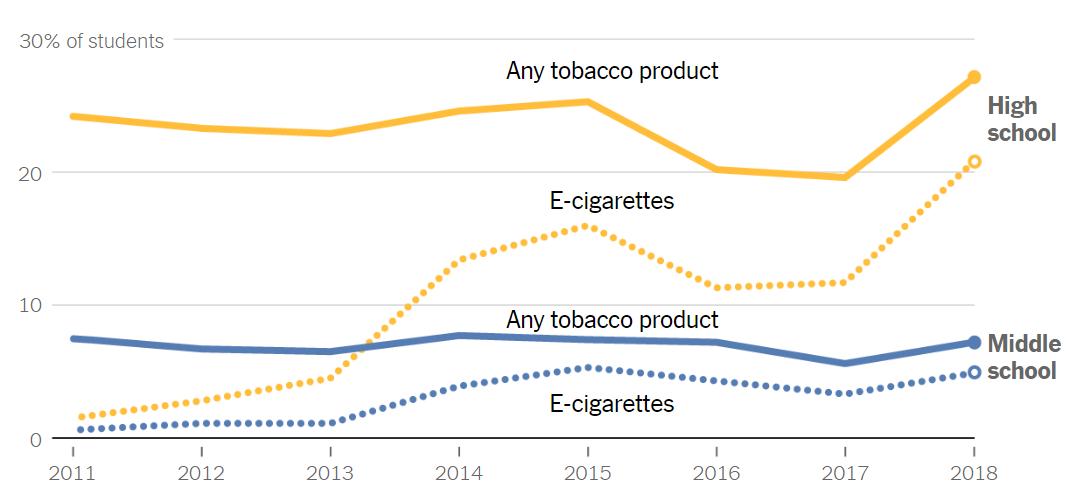
“A visualization [of data] is any visual presentation intended to reveal evidence, making the invisible visible.” Alberto Cairo (2015).
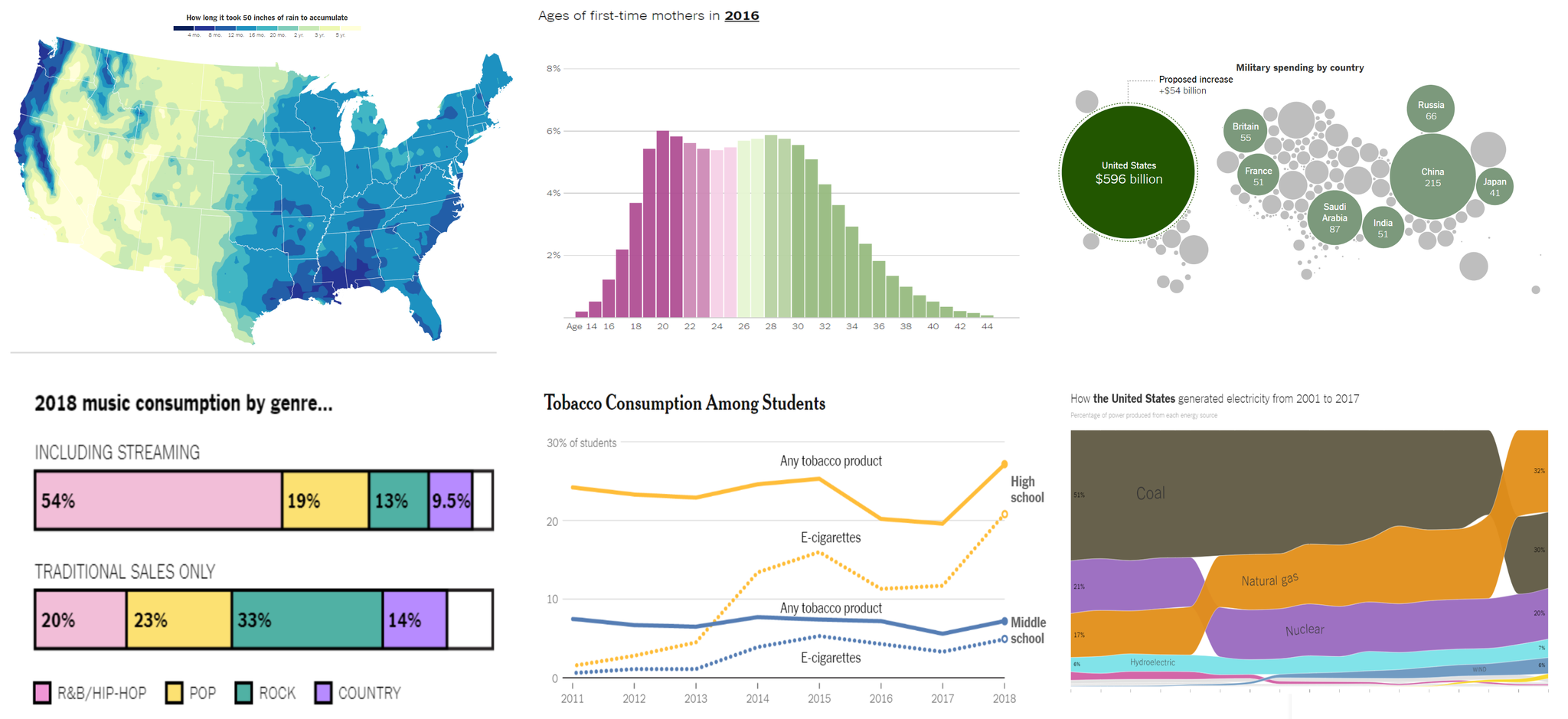
At its core, data visualization allows you to delve into complex datasets to extract meaningful insights using graphical displays.
Data visualizations are primarily concerned with providing evidence and enabling the audience to explore and draw their own conclusions about what the visualizations reveal about the data.
Data visualization has 3 key principles…
Formulate the question of interest or the message you want to convey.

Your graph should use data to convey the message or answer the question. In other words, it should transform data into information.
Enhance your graph with color symbols and text to convey additional information.

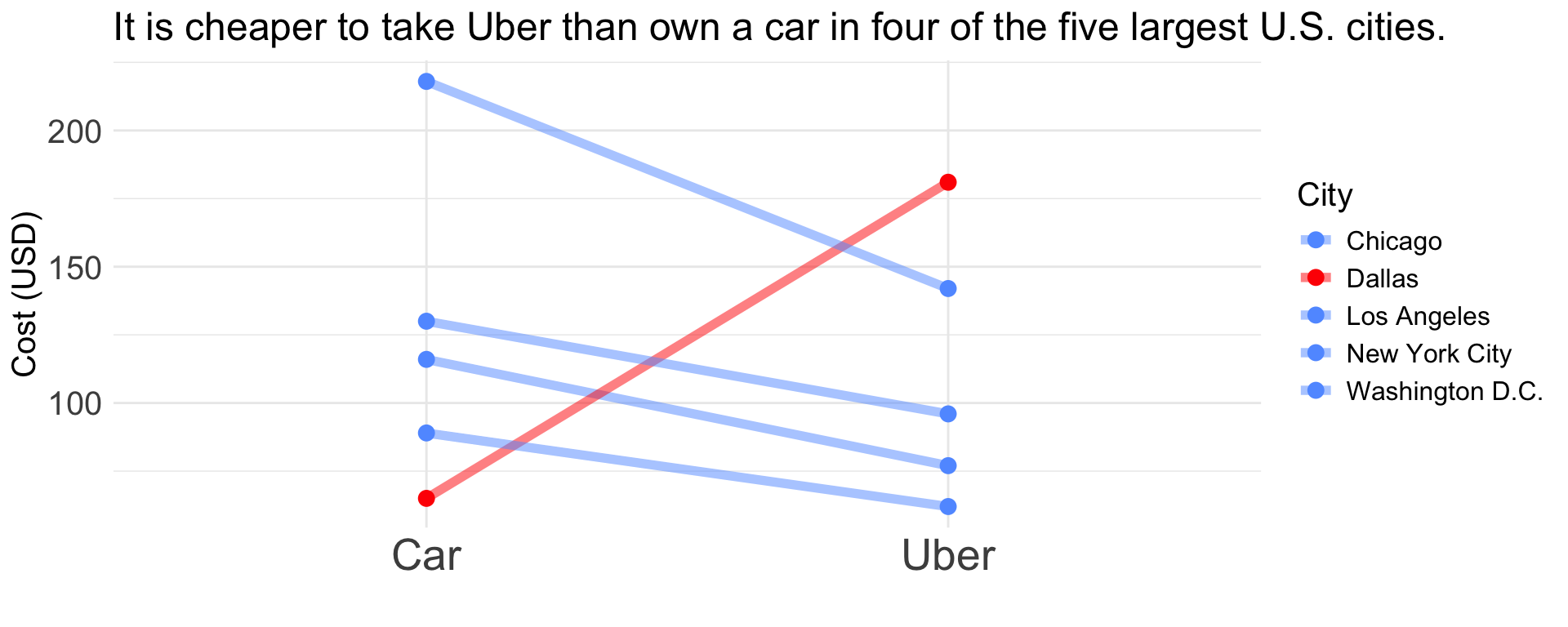
Principle 1: It is cheaper to take Uber than to own a car in four of the five largest cities in the USA.
| City | Uber | Car |
|---|---|---|
| New York City | 142 | 218 |
| Washington D.C. | 96 | 130 |
| Chicago | 77 | 116 |
| Los Angeles | 62 | 89 |
| Dallas | 181 | 65 |

Principle 2: Turn data into information.
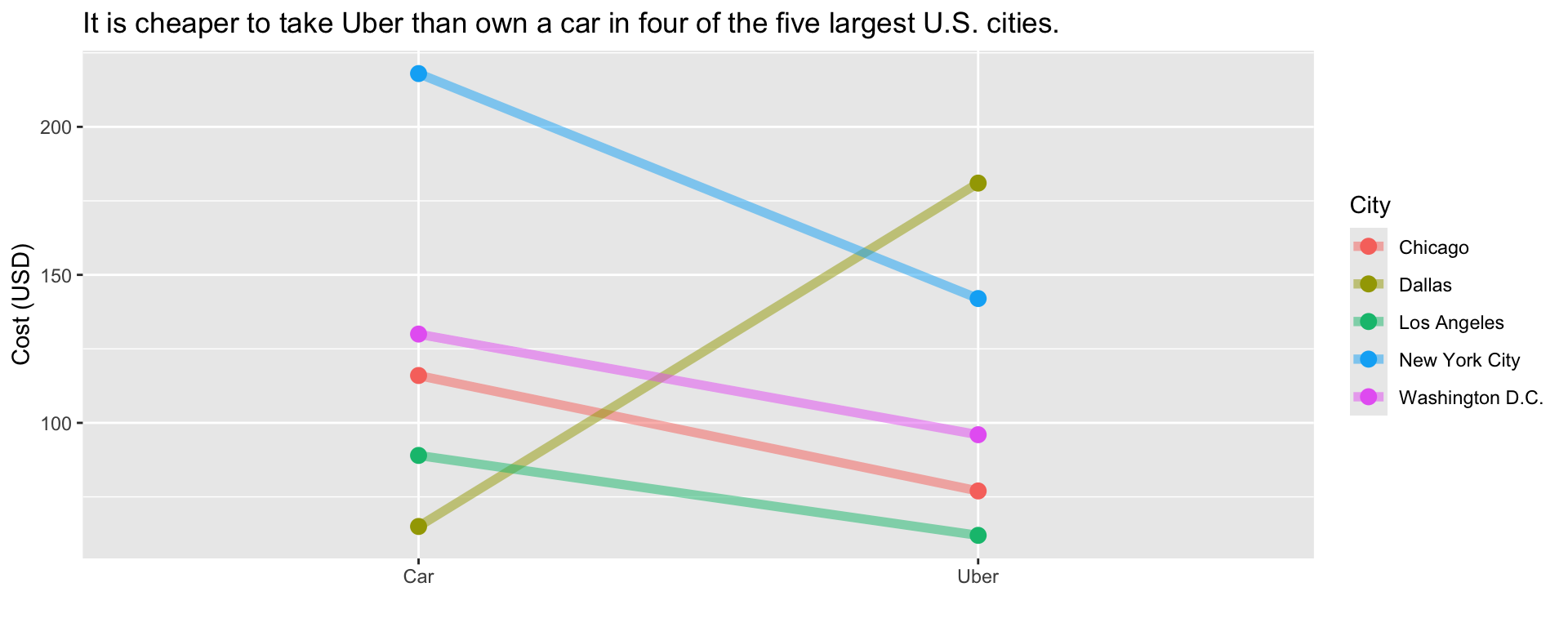
Principle 3: Apply Graphic Design Principles.
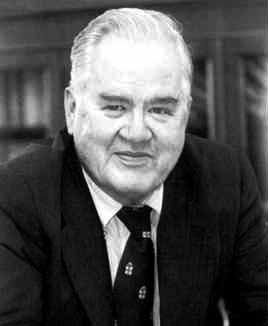
“The greatest value of a picture is when it forces us to notice what we never expected to see.” – John W. Tukey.
https://www.storytellingwithdata.com/ is an excellent guide on data visualization.
Get together with a classmate
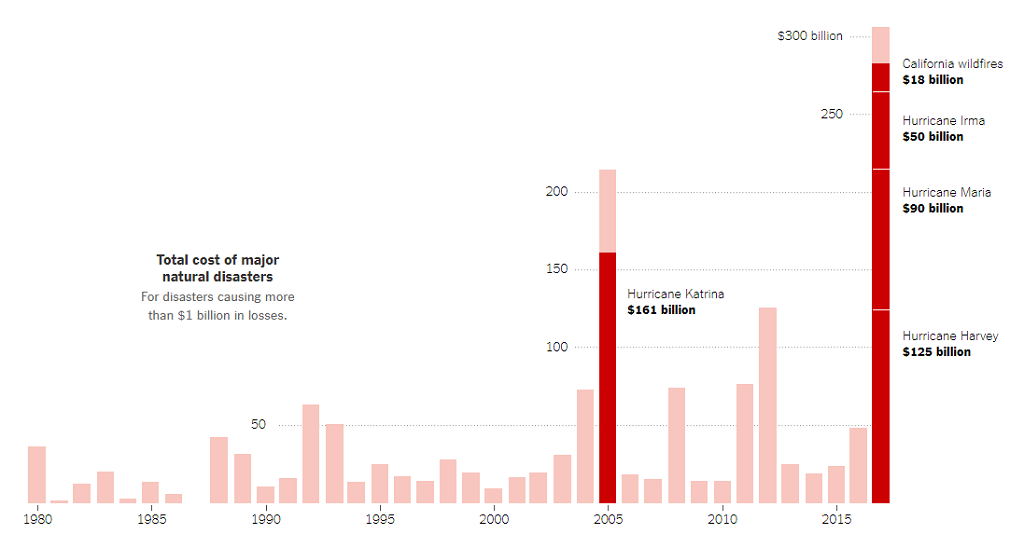
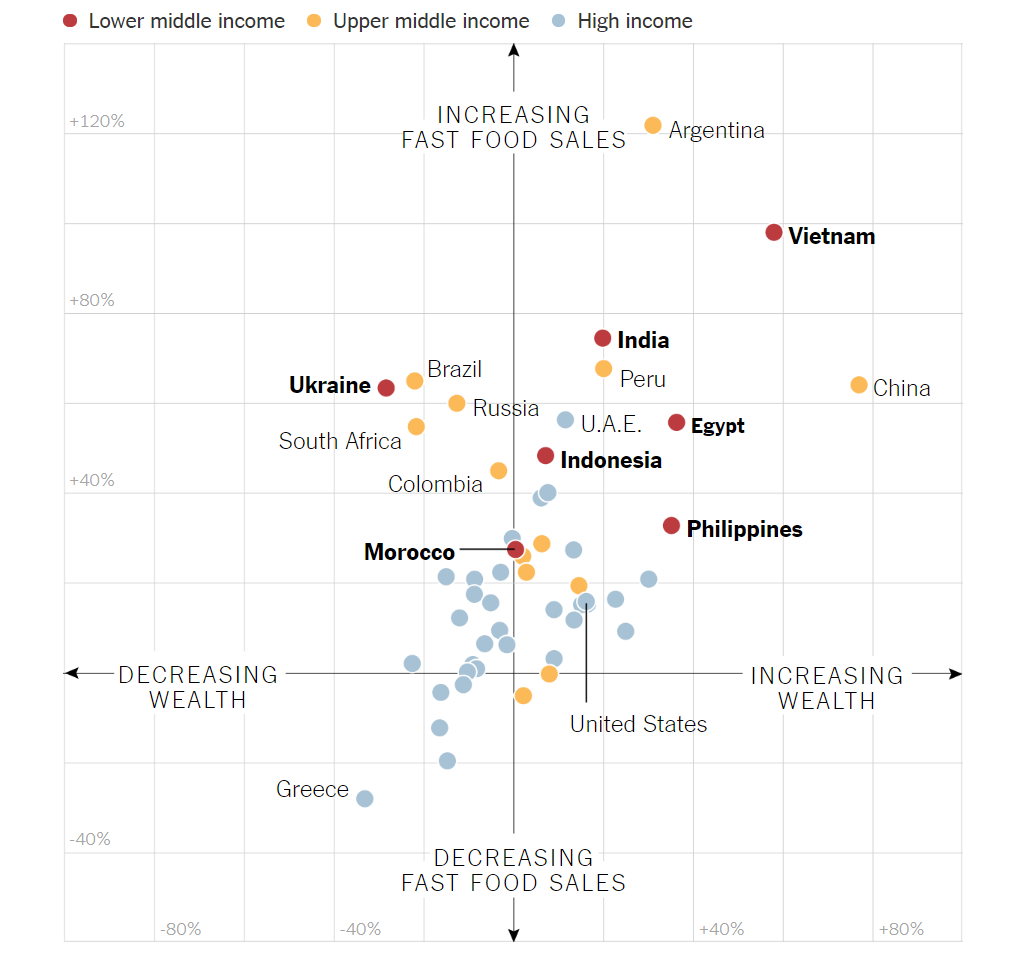
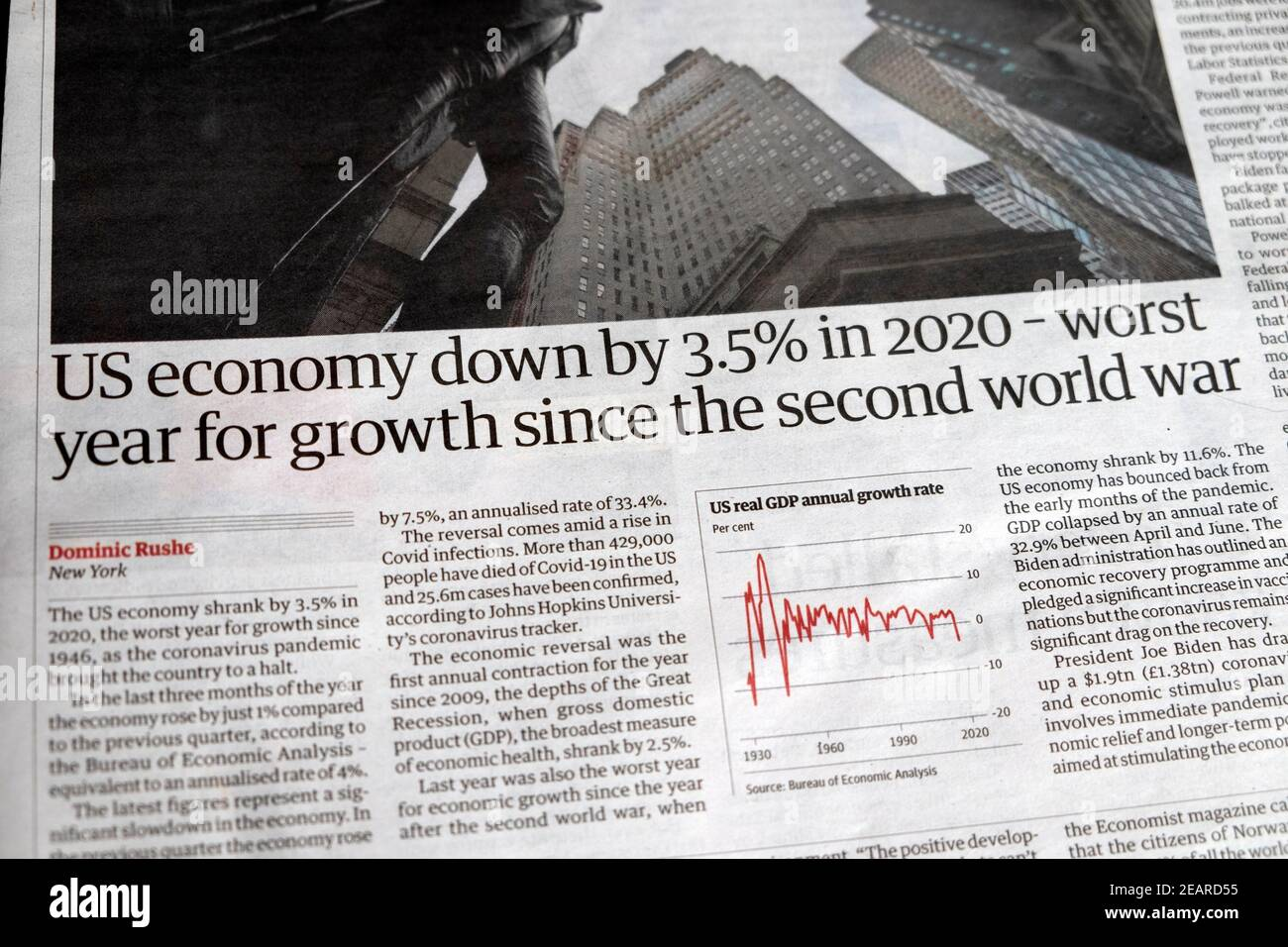
Aanalyze the five data visualizations in this Google Slides file
For each graph, write a short critique (3-4 sentences) using the three principles of data visualization.
Upload your document in PDF with your critiques to Canvas.
Raw data alone is not enough—insights must be communicated effectively.
Decision-makers rely on clear, engaging, and meaningful presentations of data.
Good storytelling connects data to real-world problems and solutions.
For example, a simple bar chart can be enhanced by context and narrative to explain a business trend or social issue.
“The most powerful person in the world is the storyteller.” – Steve Jobs

Know Your Audience – Tailor the message to decision-makers, engineers, or the public.
Keep it Simple – Avoid unnecessary complexity; clarity is key.
Use the Right Visuals – Choose the best chart type for your message.
Emphasize Key Takeaways – Bold the most important insights.
Create a Narrative Flow – Guide the audience through the story step by step.
Speak in plain, everyday language your audience understands.
For example:
Clear and Engaging
What Is Lean Manufacturing?
Lean Manufacturing is about finding smarter ways to work. The goal is to make products using less time, less waste, and fewer resources, while keeping customers happy.
Jargon Overload
What Is Lean Manufacturing?
Lean Manufacturing is a systematic approach to process optimization that utilizes value stream mapping to identify and eliminate non–value-added activities.
Start your speech with “By [insert what you want to accomplish] you will [insert what your listener wants].”
For example, start with
Instead of
Don’t dive straight into details — explain why it matters first.
For example, is better to start with
than
Use the 3-points structure. Come up with no more than three points in support of your main objective. Support each of the points with facts or examples.
Practice for clarity, not memorization. Rehearse enough to sound natural and confident.
You are the presentation. Visuals in PowerPoint reinforce a speaker’s message and help the audience key points. However, the presenter should always be the focus of the presentation, not the visuals.
Tell your audience what you want them to do next.
Example
Let’s Make Our Plant More Efficient
We’ve seen that improving energy efficiency saves costs, reduces emissions, and strengthens competitiveness.
Now it’s your turn:
Identify one process in your area that wastes energy.
Propose one small improvement this week.
Share your idea in next Monday’s team meeting.
Prepare a short presentation (up to 3 minutes) about any topic you’re passionate about.
Guidelines:
We won’t judge your topic. We’re looking for clarity, connection, and passion.

Tecnologico de Monterrey